
Sync returns to Shopify
Summary
Returns can be registered in the ReBound consumer portal for orders that were synced from Shopify.
After customers confirm their return order, our integration can sync it back to your Shopify store.
Return registration experience
Consumers can:
- Find their order (already pushed to ReBound through the order sync🔗).
- Select items to return. If applicable, select the desired reimbursement for each item: refund (to the original payment method), store credit refund, or exchange.
- Update contact data.
- Choose a carrier option.
- Make a payment (if applicable).
- Obtain a return label or QR code.
Shopify return creation sync
When the return registration is complete, the integration will:
- Create a return in Shopify with the selected items.
- Create a reverse delivery in Shopify with the return tracking number.
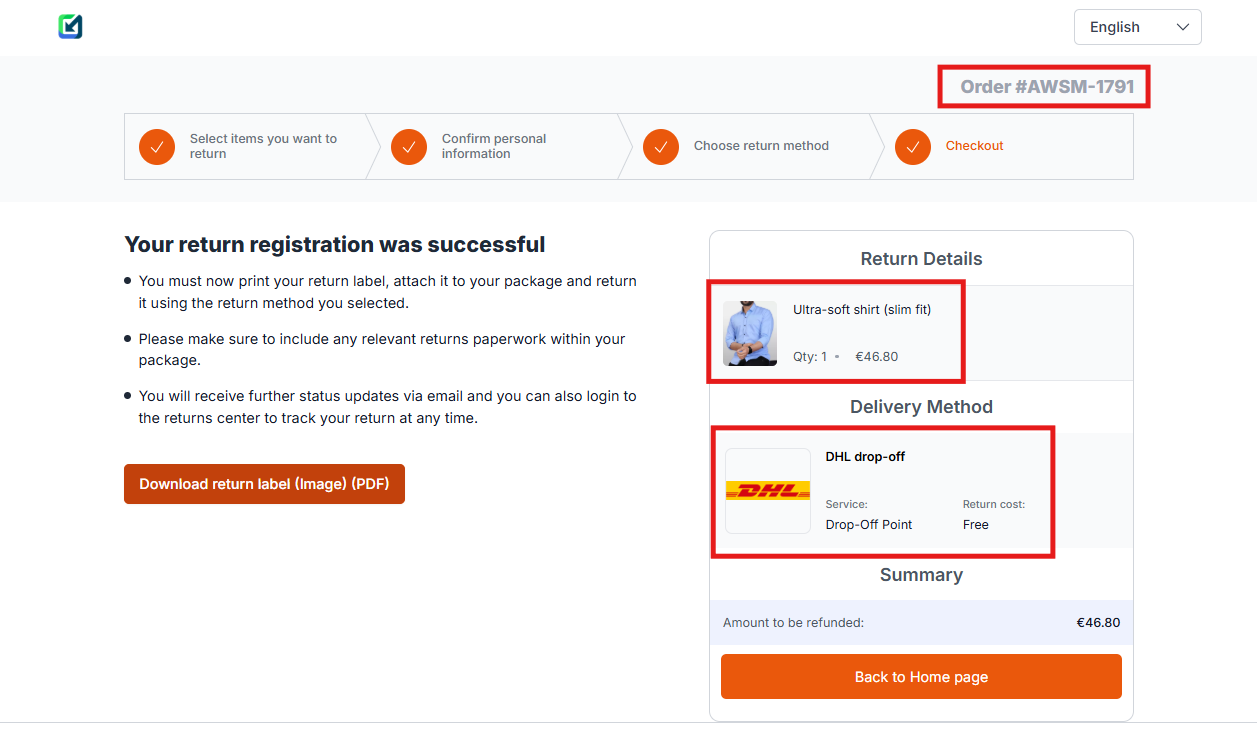
Return created in ReBound portal
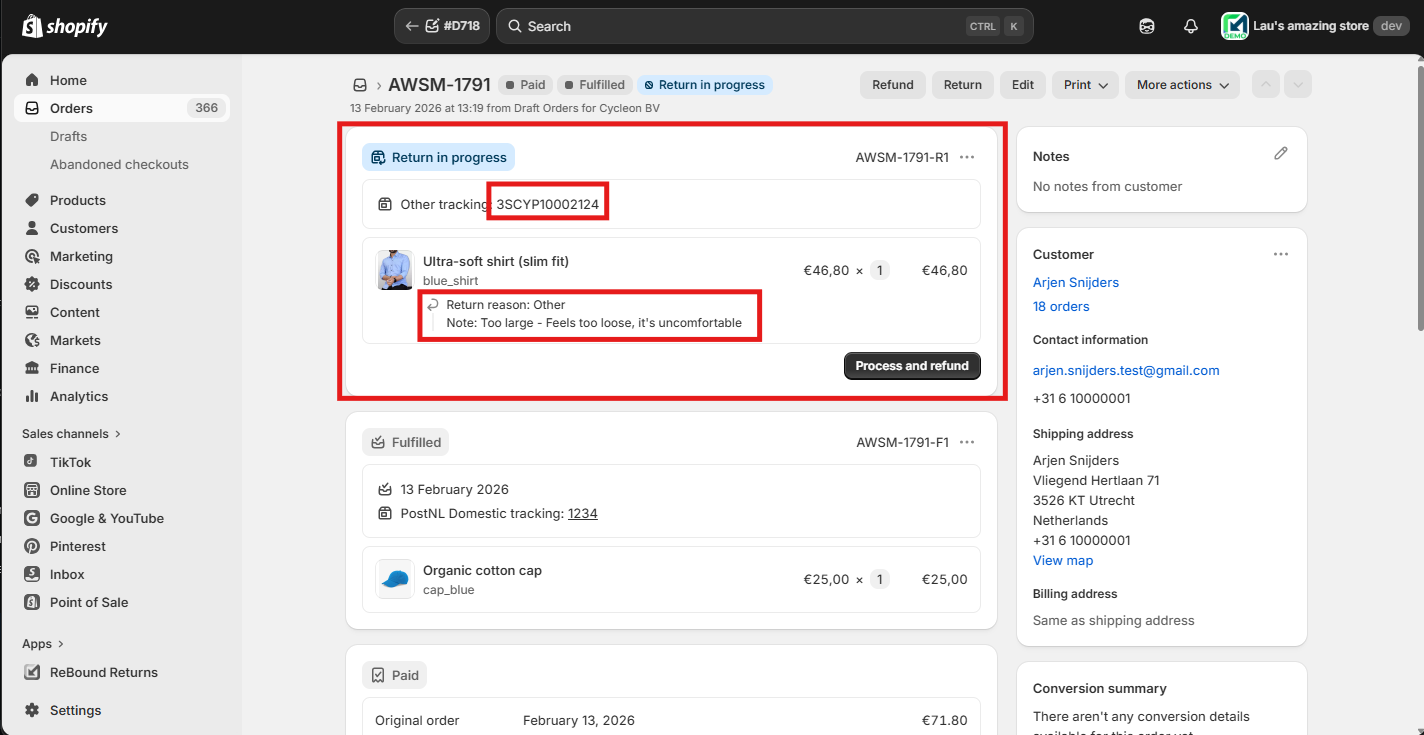
Return synced to Shopify store
Shopify return cancellation sync
The ReBound CS Portal can enable your CS team to manually cancel returns when needed. For example, if customers want to change their returned items selection, or want to choose a different carrier after the return is registered.
If a return is cancelled in the ReBound CS portal, the integration cancels the return in Shopify, keeping both platforms in sync.
Setting it up
The return sync cannot currently be enabled or disabled directly from the Shopify app.
It must be enabled in your ReBound account by your implementation manager. Please reach out to them if you wish to enable/disable this feature.
How it works
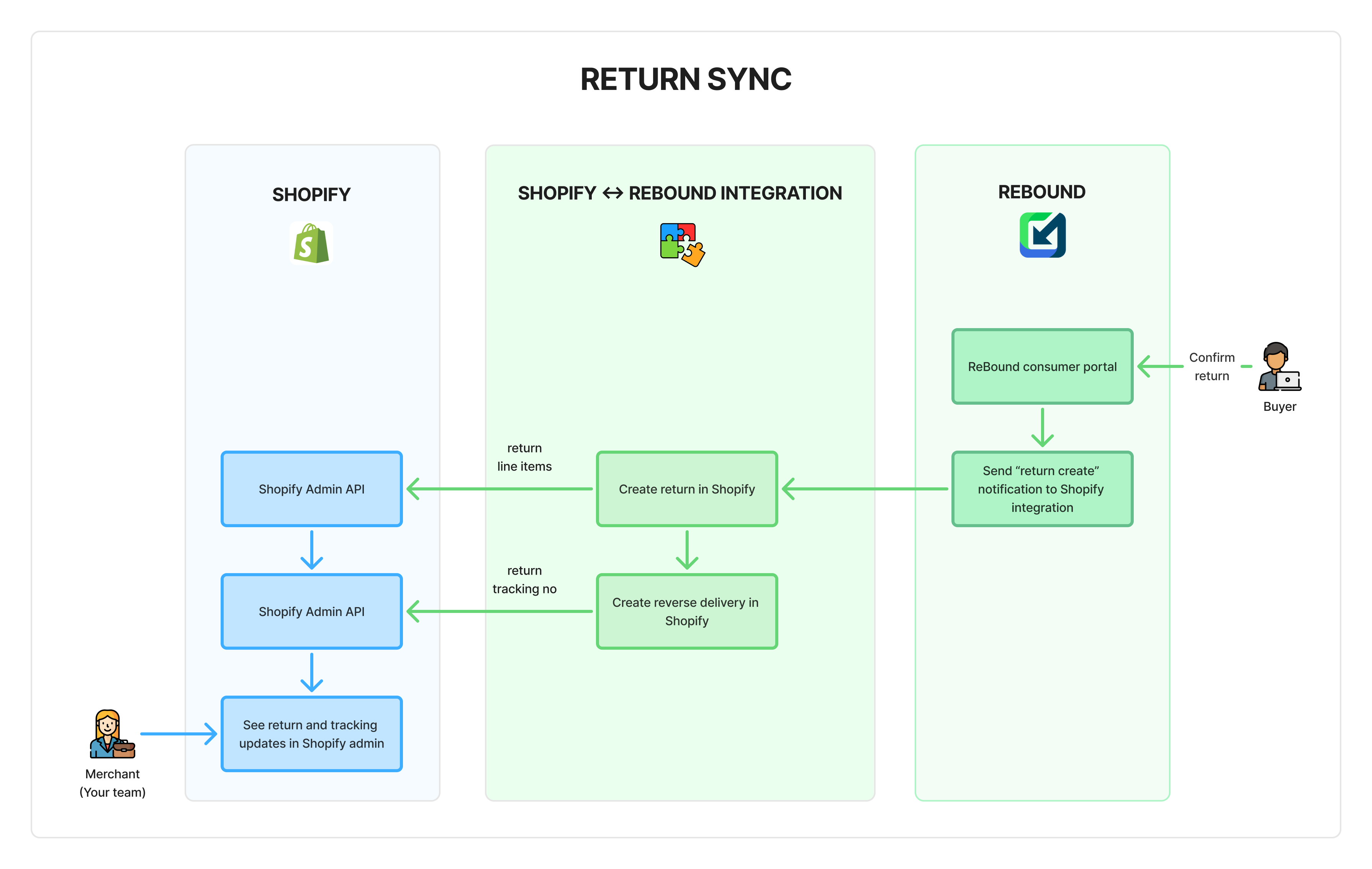
- The customer registers their return in the ReBound portal.
- A back-end notification (webhook) is sent to the Shopify integration.
- The Shopify app creates a return and a reverse delivery in Shopify (via API). Both are linked to the original sales order.
Updated 7 months ago