
Make items non-returnable
Summary
When syncing orders to ReBound, our Shopify integration can set specific items to non-returnable. This disallows customers from returning them in the ReBound portal.
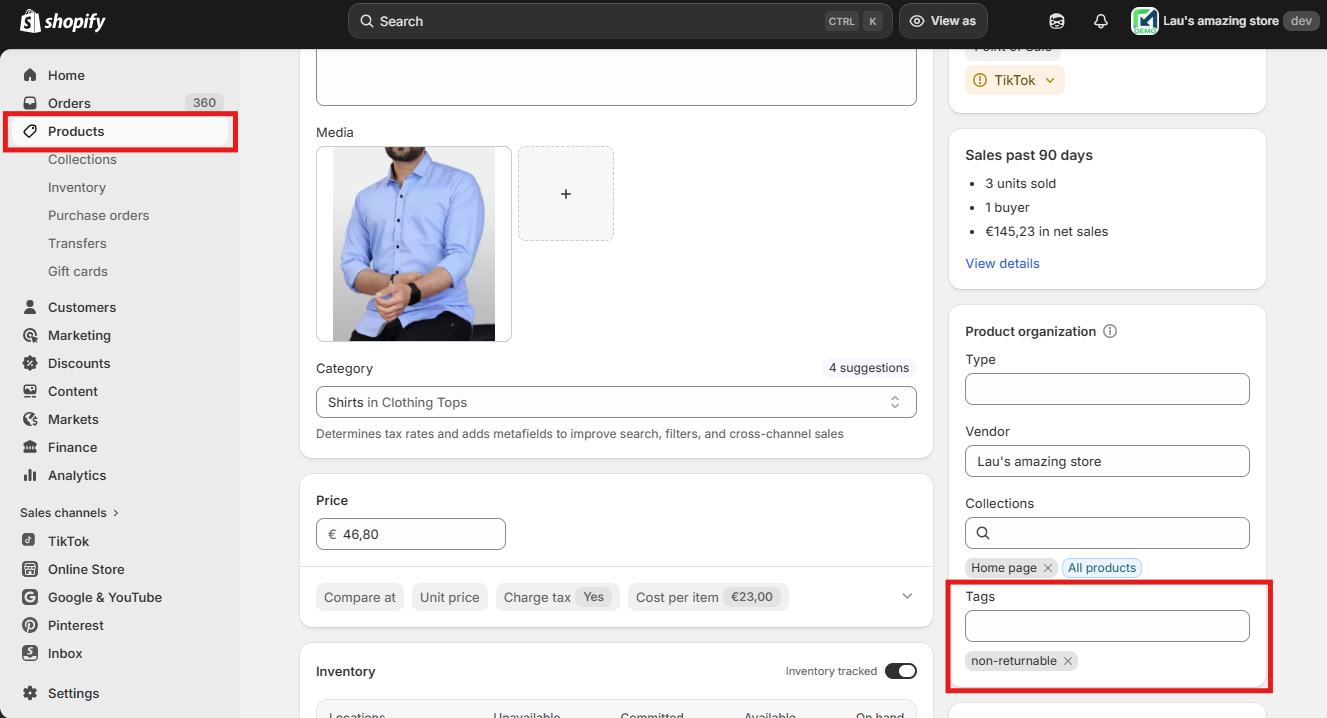
Product tags in Shopify are used to determine which products are non-returnable. For example, a product with the "non_returnable" or "final_sale" tag.
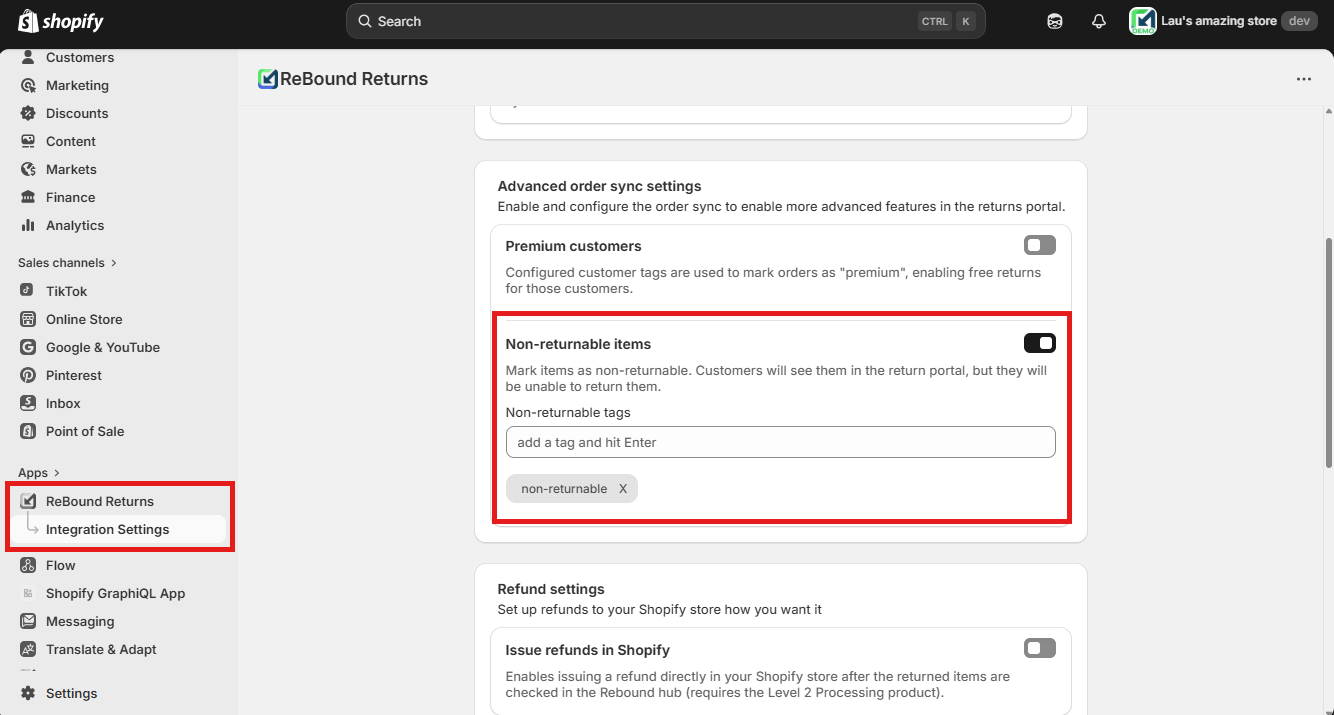
You can enable this feature and configure the corresponding product tags on the "Integration Settings" page in the ReBound Returns app.
When to use this
- If you want specific products to be always non-returnable, such as beauty products or underwear (we suggest using a standard "non-returnable" tag for these products).
- If you want specific products to be non-returnable for a specific time or promotion (we suggest adding promotion-specific tags to these products, such as "final-sale" or "spring-sale").
How it works
- Once you enable the feature and configure product tags, our app remembers this setting.
- Whenever it syncs an order, it retrieves the product info for each order line item. This includes the product tags.
- If any of the tags match the list of non-returnable tags you configure, that item will be set to non-returnable.
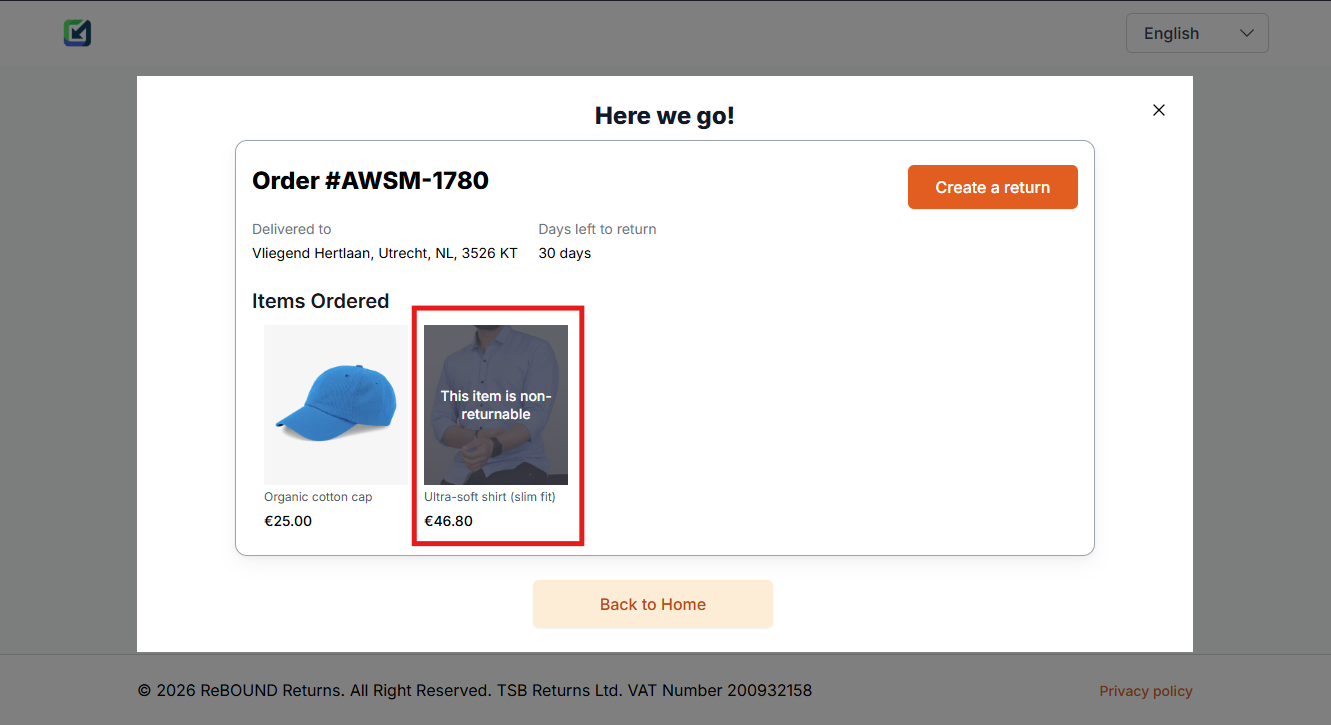
- This disallows returns for that line item in the ReBound portal.
Setting it up
-
Ensure the "ReBound Returns" app is installed and active in your Shopify store.
-
Open the app from the "Apps" section on the left sidebar (if pinned), or find it using the search bar at the top of the page.
-
Open the "Integration Settings" page and scroll down to the "Advanced order sync settings".
-
Enable the "Non-returnable items" feature by clicking the toggle on its right.
-
Add all the non-returnable product tags and press enter to insert each.
-
Make sure the product tags are identical to those in your product data in Shopify. They must have the exact same spelling, including any special characters (e.g., "non-returnable" is not the same as "non_returnable" or "Non-Returnable").
-
If you want to remove any product tags, click the "x" button to its right.
-
If you want to disable the feature altogether, click on the toggle to the right of "Non-returnable items". Disabling the feature will no longer sync items as non-returnable in new orders. Already synced orders/line items will not be affected.
-
Line items with the configured products tags will be synced to ReBound as non-returnable, disallowing returns in our portal.
Notes
- The Rebound app syncs orders as they get fulfilled. For the non-returnable items functionality to work, product tags must be applied before fulfillments in the order are completed. That includes partial fulfillments.
Updated 8 months ago